




Introduction
Built on OpenAI's GPT-16k 3.5-turbo language model, FenixAGI Mk1 offers a range of functions that can aid researchers and help streamline their workflows. This Substack post provides a detailed overview of the fenix.py file, showcasing its structure, functionality, and usage instructions.
You can fork this AI agent here, run it locally or even on Replit!
What can Fenix do?
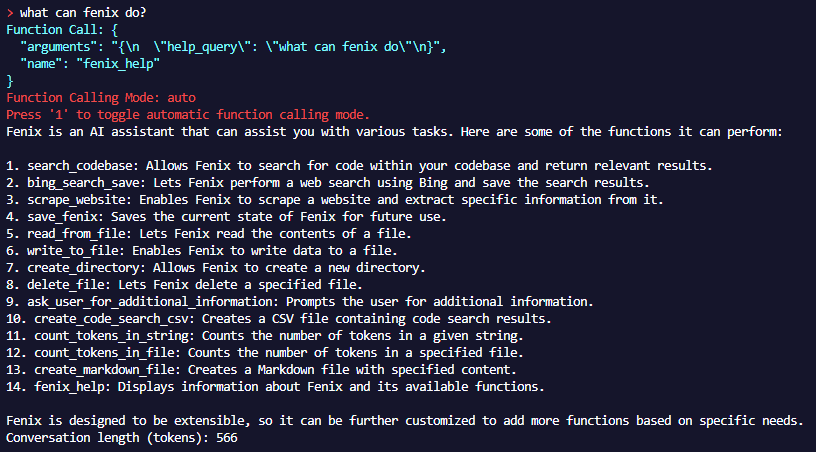
Fenix is designed to be a starting point, or a template of sorts… an agent with basic research, read/write, and planning capabilities.
Who is Fenix for?
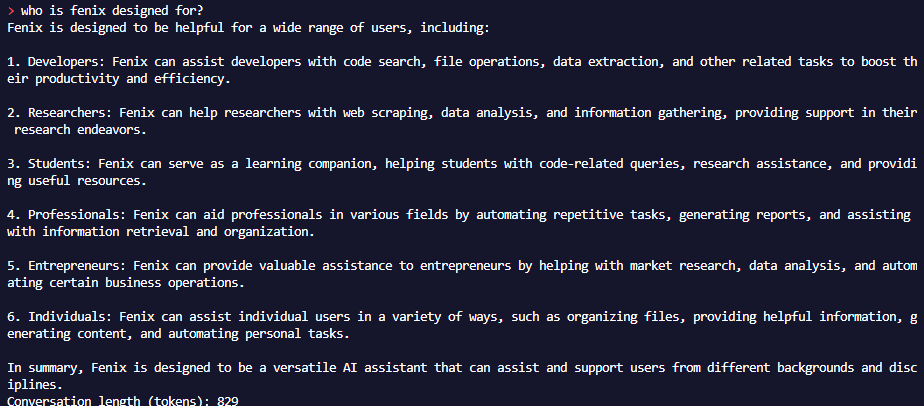
File Structure
The fenix.py file acts as the core component of FenixAGI Mk1, powering its research-oriented functions and assistance capabilities. Here's a breakdown of its components:
Libraries and Global Variables
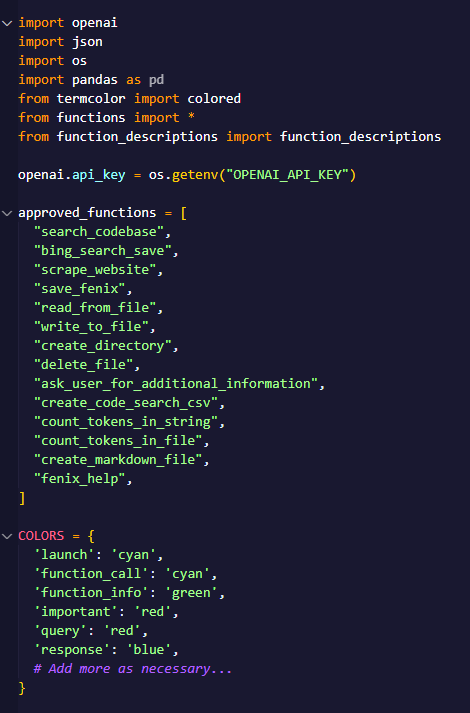
The fenix.py file imports essential libraries such as openai, json, os, pandas, and termcolor. Additionally, it initializes critical global variables including the approved functions list, colors dictionary, and FenixState class, laying the foundation for FenixAGI Mk1's operations.
FenixState Class
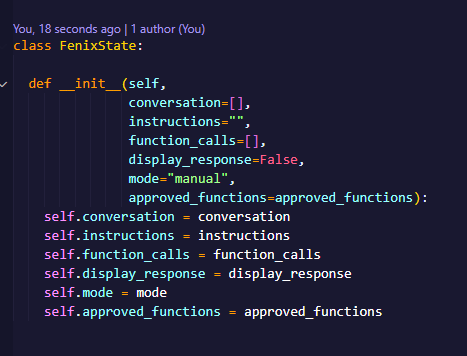
The FenixState class assumes the responsibility of capturing and retaining the state of the FenixAGI assistant. This includes preserving the conversation history, instructions, executed function calls, display response settings, operational mode, and approved functions, all of which allow for seamless interactions and personalized experiences.
Helper Functions
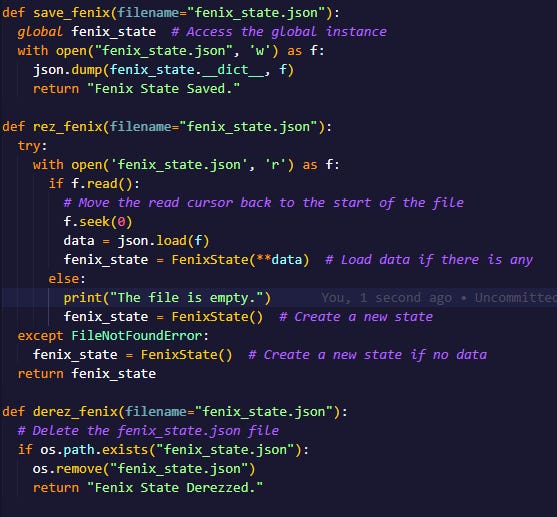
To enhance its research capabilities and provide effective assistance, FenixAGI Mk1 incorporates several helper functions. These include fenix_help() for providing guidance, save_fenix() for saving the current state, derez_fnix() for resetting the assistant, ask_user() for collecting user input, and tell_user() for delivering informative messages. These functions contribute to the efficiency of the assistant and enhance the overall user experience.
Reflection/Meta-Prompting - How Fenix “Learns”
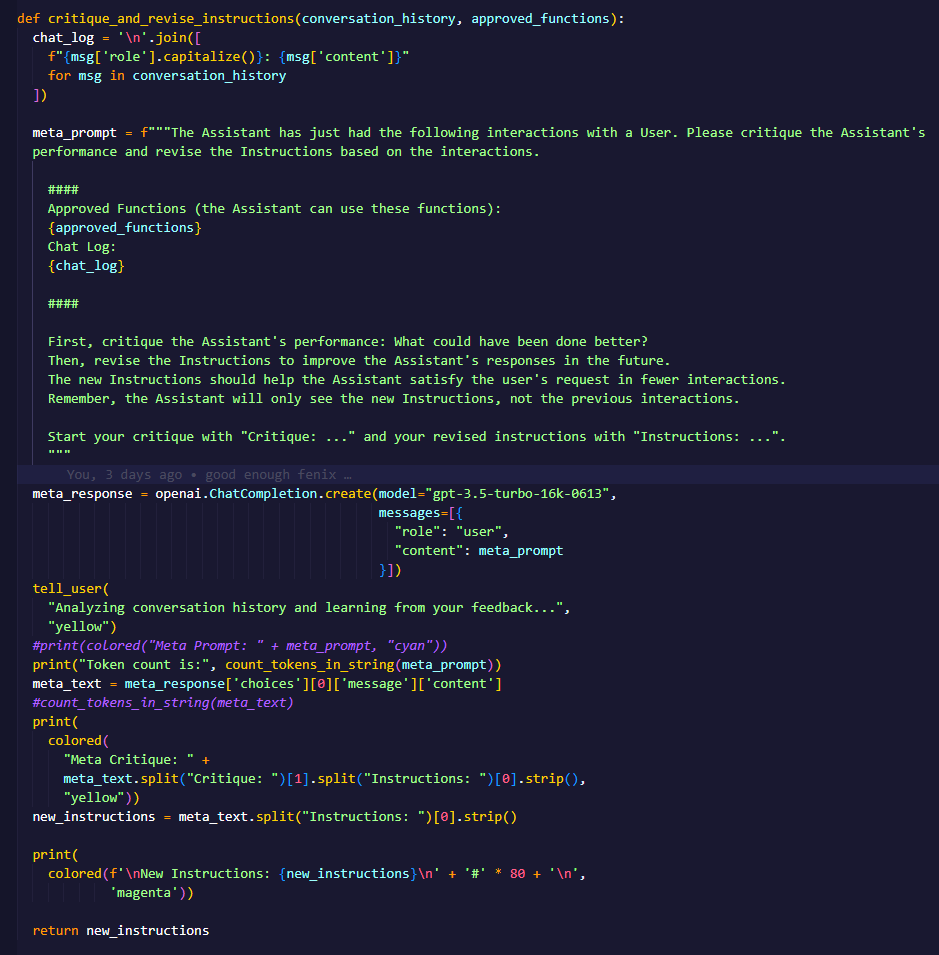
The critique_and_revise_instructions() function in the fenix.py file is responsible for critiquing the assistant's performance and revising its instructions based on the conversation history and historical interactions. It takes two parameters, conversation_history and approved_functions.
First, the function generates a meta prompt using the conversation history and approved functions. The meta prompt contains the chat log, approved functions, and instructions to critique the assistant's performance and revise the instructions.
The function then sends the meta prompt to the GPT-3.5-turbo model for completion. The model generates a response that includes the critique and revised instructions. The function extracts the critique and revised instructions from the model's response.
Finally, the function displays the critique, the new instructions, and returns the revised instructions.
The `critique_and_revise_instructions` function is an important part of Fenix's learning process, allowing the assistant to improve its performance and adapt to user feedback over time.
Main Conversation Loop
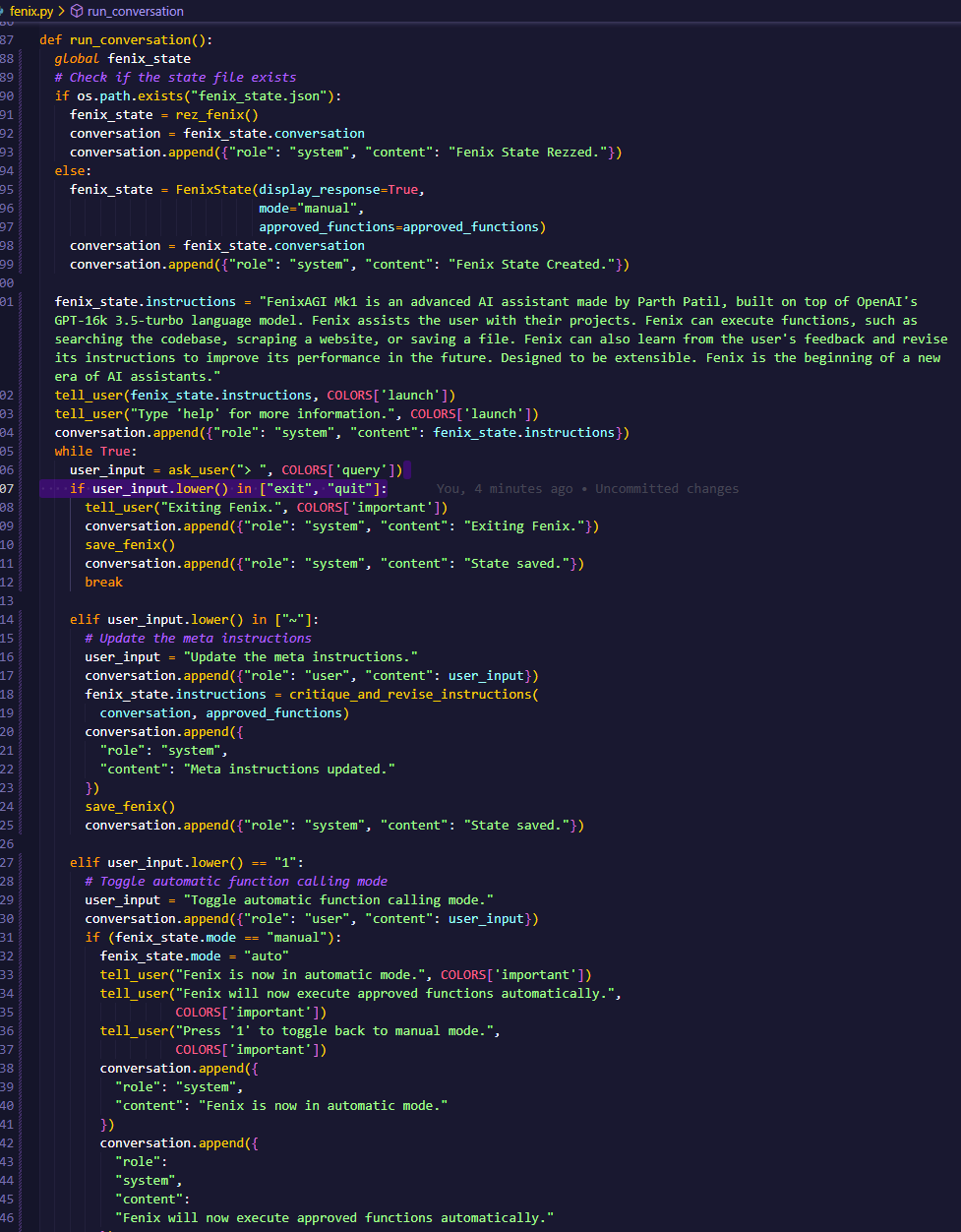
The run_conversation() function serves as FenixAGI Mk1's primary cognitive loop. This function processes user input and utilizes the GPT-3.5-turbo language model to generate responses. If a function call is detected in the response, FenixAGI Mk1 executes the corresponding function based on the mode (manual or automatic) and user approval. The conversation history is updated with both user input and assistant responses, ensuring a continuous and interactive experience.
Getting Started with FenixAGI
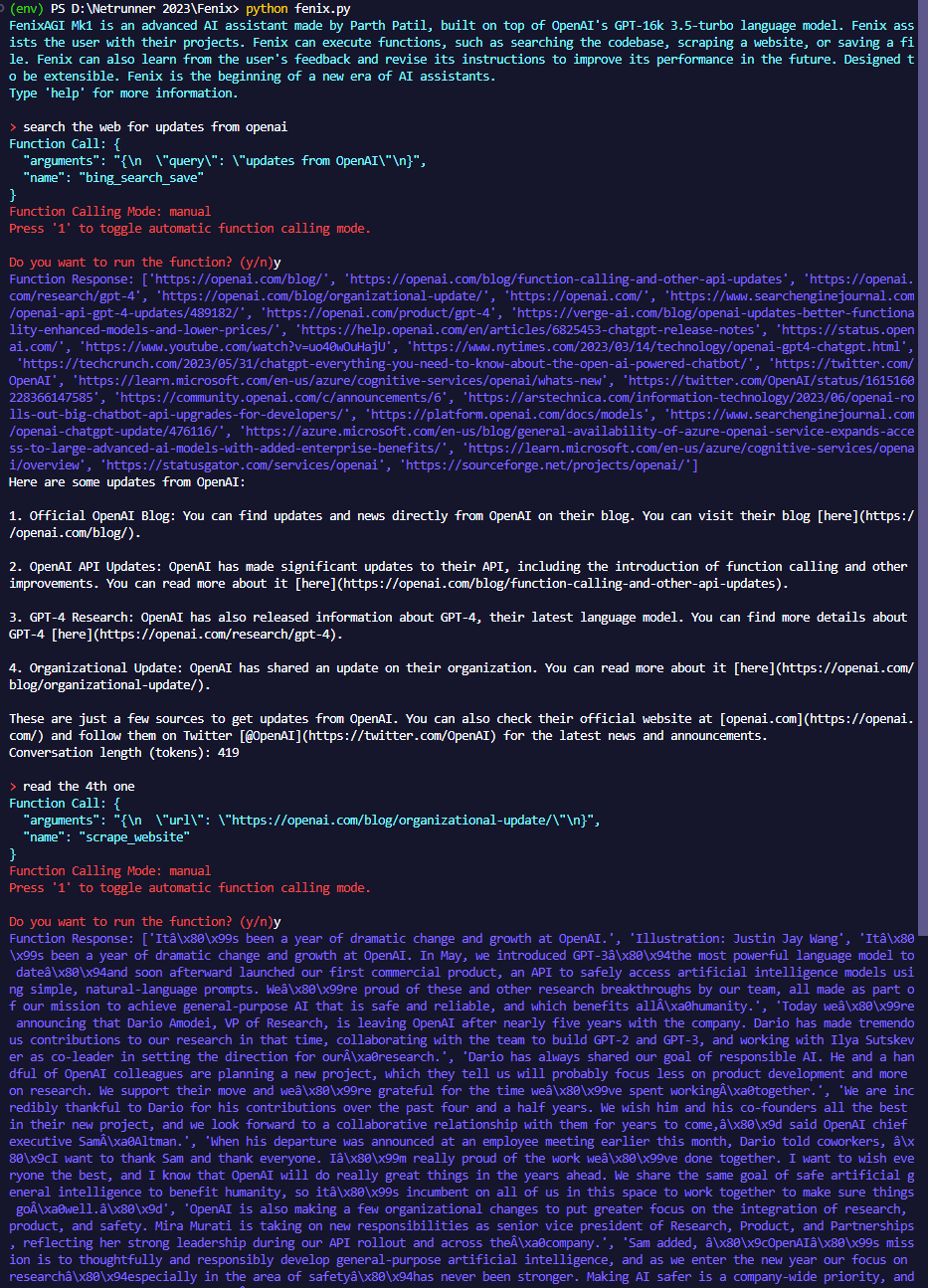
To utilize FenixAGI Mk1 for research and assistance tasks, follow these instructions:
Setting up API Keys: Obtain the necessary API keys before using FenixAGI Mk1:
BING_SEARCH_KEY: Access this key from the Bing Search API portal https://portal.azure.com/
OPENAI_API_KEY: Obtain this key for the GPT-3.5-turbo-16k model by signing up at https://platform.openai.com/signup
Running FenixAGI Mk1: Execute the
run_conversation()function within thefenix.pyfile to initiate FenixAGI Mk1 and start the conversation loop.Interacting with FenixAGI Mk1: Utilize the command line interface to communicate with FenixAGI Mk1. Input your messages after the
>prompt, and FenixAGI Mk1 will respond accordingly.Special commands: FenixAGI Mk1 recognizes commands such as 'exit', 'quit', '~', '1', and '2' for various operations. Utilize these commands to control FenixAGI Mk1's behavior and settings during the conversation.
Expanding Functionality: FenixAGI Mk1 supports extensibility. Expand its capabilities by adding new functions to the
approved_functionslist and corresponding entries to thefunction_descriptionslist. This enables customization and the incorporation of additional research and assistance functionalities.Saving and Restoring State: FenixAGI Mk1 automatically saves its state to the
fenix_state.jsonfile. Upon relaunch, FenixAGI Mk1 checks for this file and restores the previous state if available. You can manually reset FenixAGI Mk1 and the state by entering '0' as your user input.
Conclusion
FenixAGI Mk1, powered by OpenAI's GPT-3.5-turbo language model, is a powerful AI assistant designed to streamline research and provide assistance. With its research-oriented functions, personalization capabilities, and extensibility, FenixAGI Mk1 empowers researchers and enhances their workflow.
Fork the FenixAGI Mk1 repository on Replit and experience the transformative potential it holds. You can run Fenix on Replit or locally on your own machine.
For any inquiries, feedback, or collaboration opportunities, feel free to reach out to Parth Patil, the creator of FenixAGI Mk1, on LinkedIn at https://www.linkedin.com/in/p4r7h/.
- FenixAGI Mk1